Built for remote telecalling teams

Track every Call, Grow Revenue. Convert More Leads.

CallTrack CRM helps businesses manage phone leads, track agent performance, and never lose a customer

100% browser-based
No apps needed for telecallers
3-click assignment
Bulk allocate leads to executives
Daily follow-up view
Upcoming tasks in one list
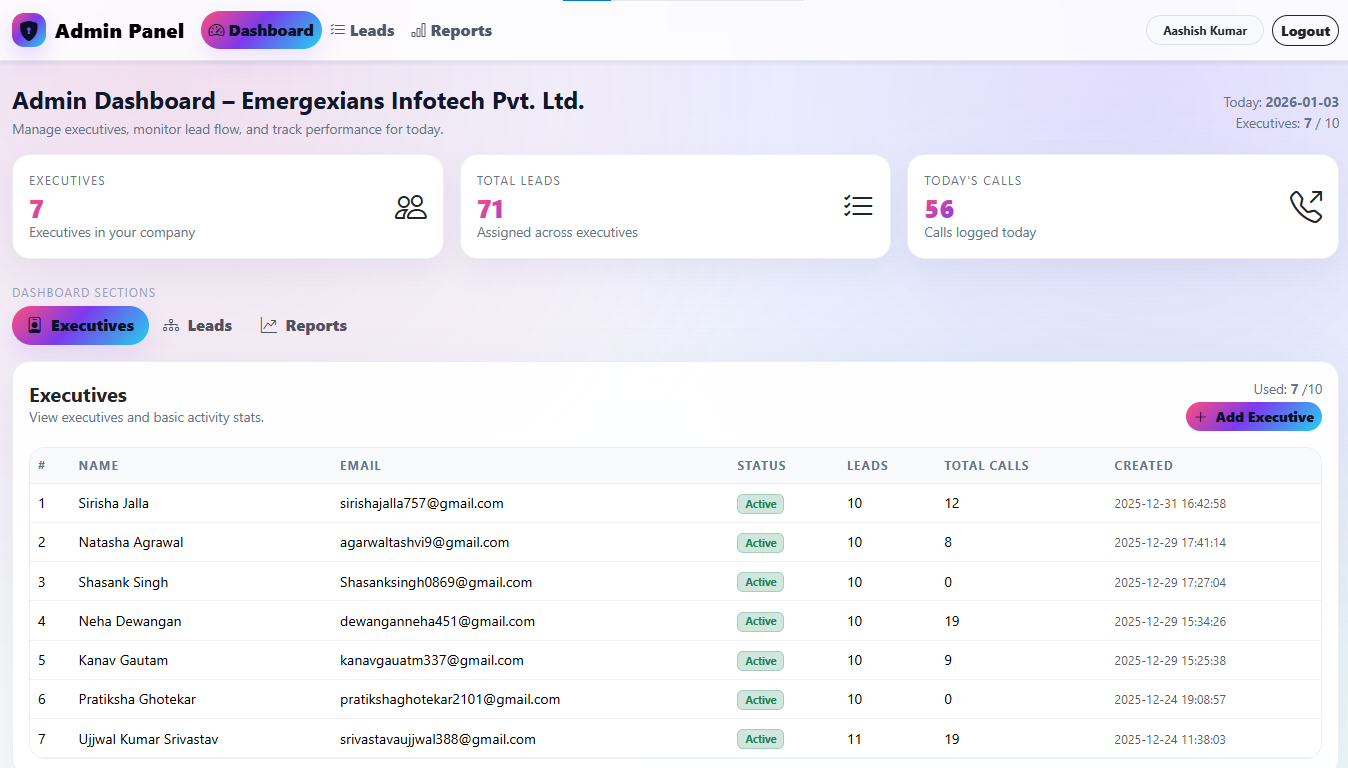
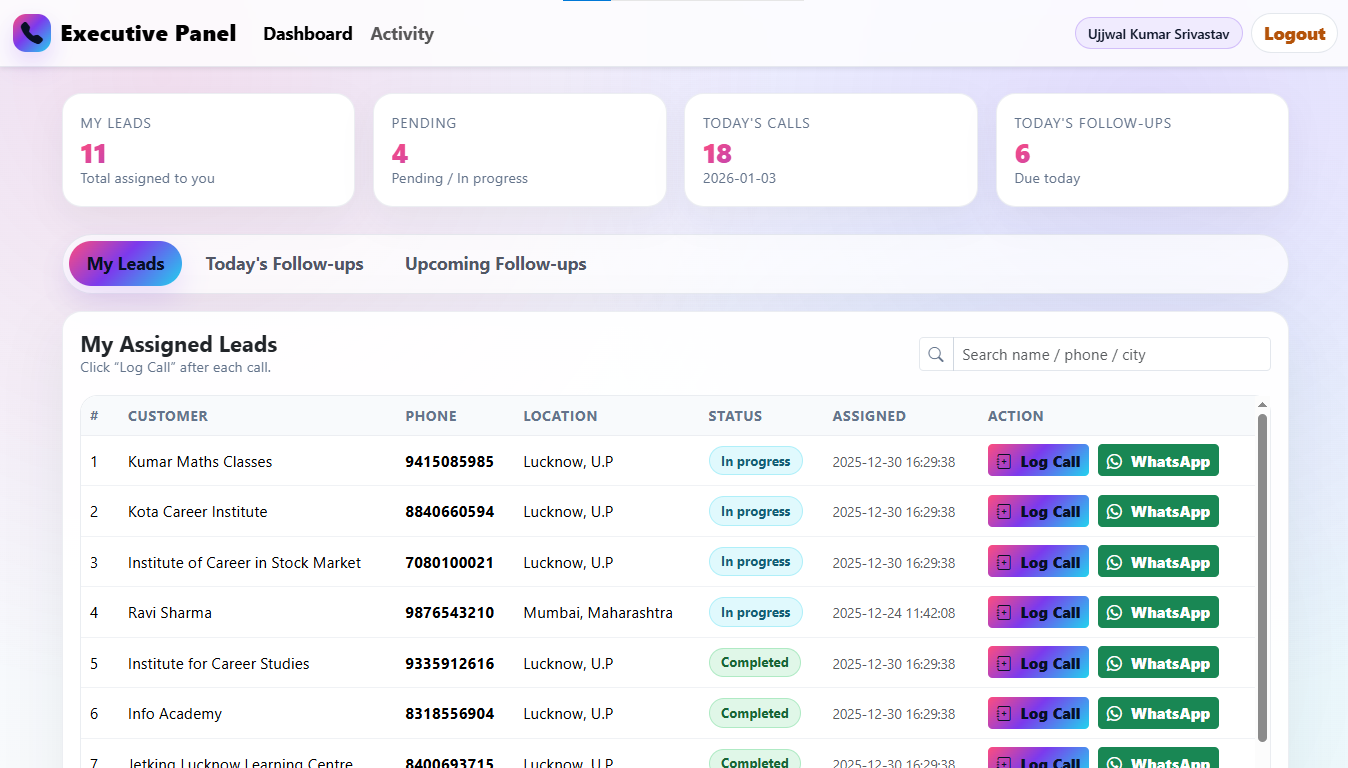
Admin Dashboard Executive Dashboard

Designed for telecalling operations that run on basic phones.

CallTrack CRM keeps things simple: upload leads, assign to executives, log outcomes, and track follow-ups. No complex setup, no learning curve.

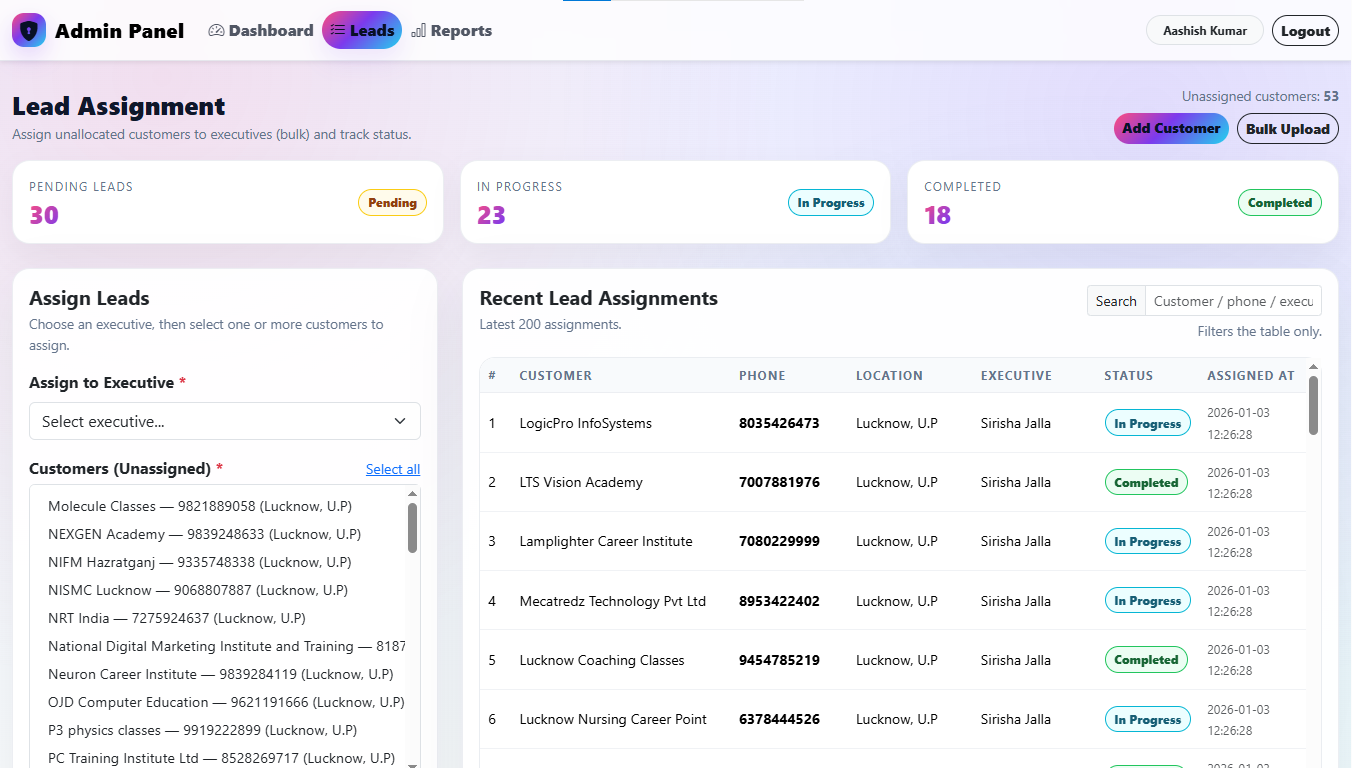
Smart lead assignment
Smart lead assignment Preview

Upload customer lists and assign in bulk to executives with just a few clicks.

Round-robin & manual assignment
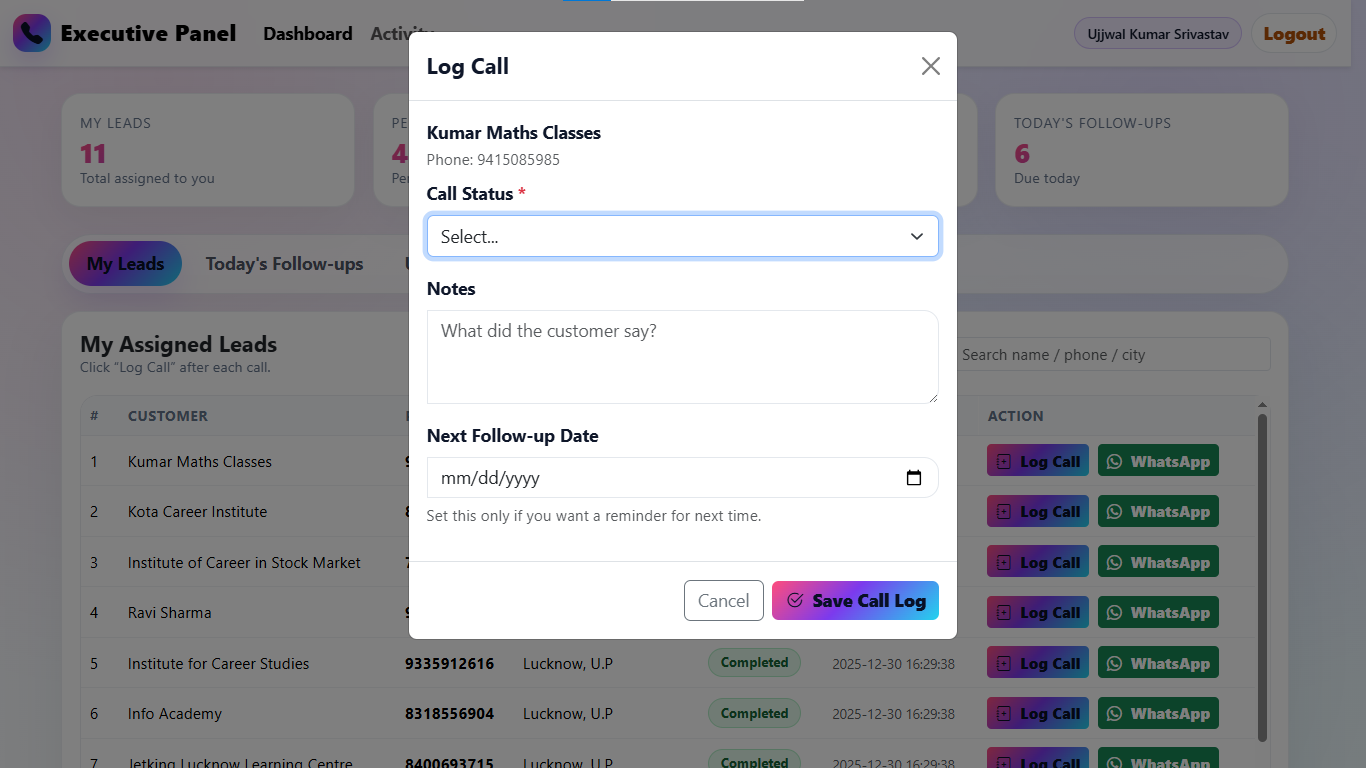
Call logging made easy
Call logging Preview

Executives log call status, notes, and next follow-up date right after every call using any browser.

Works with keypad phones
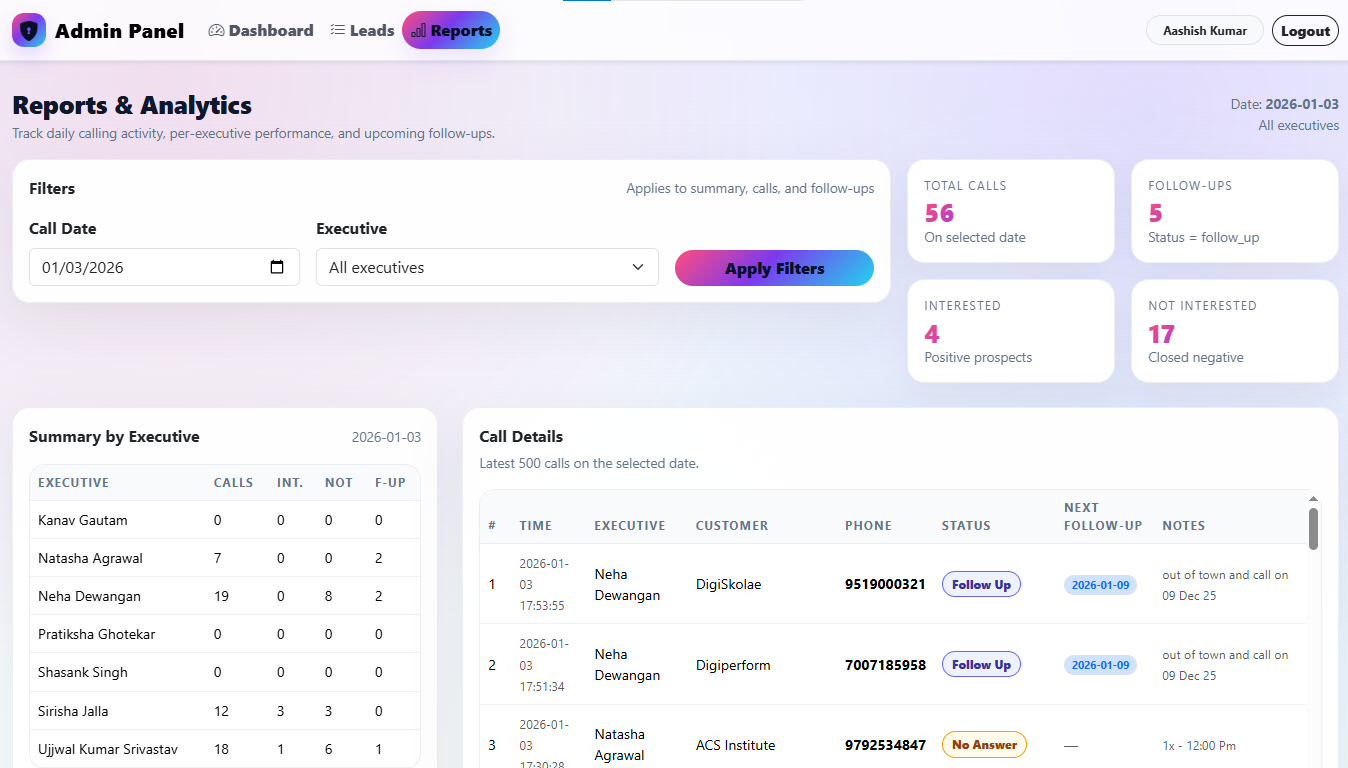
Admin performance reports
Admin Dashboard Preview

View per-executive daily reports, follow-up lists, and interested vs not-interested stats.

Perfect for call center owners

Simple pricing for growing teams.

Choose a plan that fits your team size.

Starter

Starter

₹999/month
For solo callers or small teams getting started.
  • Up to 5 executives
  • Basic daily reports
  • Upcoming follow-up list
Most Popular

Growth

₹2,499/month
For agencies and call centers scaling their telecalling operations.
  • Up to 20 executives
  • Advanced reports
  • Follow-up calendar
  • Email support
Scale

Scale

₹4,999/month
For large teams and agencies managing multiple clients.
  • Up to 50 executives
  • Unlimited lead uploads
  • Custom reporting
  • Priority support
  • Multi-project tagging

How you get access to CallTrack CRM

We follow a simple, secure onboarding process to ensure quality and support.

Choose a Plan

Select a plan based on your team size and business needs.

Make payment

Enter your official email ID & make payment to request CRM access.

Executive Call

Our team contacts you to onboard and provide proper guidance.

Login Credentials

Admin dashboard credentials are sent to your email securely.

Frequently asked questions

A quick overview before you onboard your team to CallTrack CRM.

No. They only need basic phones for calling and access to a browser on a laptop/desktop to log calls.

Yes. Use the CSV upload in the admin panel to add thousands of customer records at once.

The admin reports page shows an "Upcoming Follow-ups" section filtered by date and executive.

Yes. You can extend the database to include project/client tags and filter leads and reports.
Need help implementing CallTrack CRM?

If you’d like help with setup, customizations, or hosting, you can offer implementation services.

  • calltrack@emergexians.com
  • calltrackcrm
Add your contact details here (WhatsApp, email, form) so potential buyers can reach out.
Go to Login / Admin